Traffic counts
Count traffic where there are no cameras
Plan counting locations on real road geometry, schedule them with schemes, staff every post, and follow the counts as they happen.
Counting locations
Locations on real roads, not dropped pins
Each location is drawn on the road network and typed, and every movement through it has a direction. Field counts map cleanly to analysis, with no guessing which way a car was going.
- Drawn on the open Overture road network
- A direction for every movement through the location
- Movements you don't need can be left out of the plan
Location types
- Road links
- Divided roads
- Intersections
- Roundabouts
- Interchanges
- Median U-turns
Schemes
Schemes set when, and how often
A scheme is a counting schedule — which hours, and how they divide into counting and rest — assigned to as many locations as share it.
- Partial-day schedules, not just whole days
- Counting and rest periods inside each schedule
- One scheme, many locations, planned in one workspace
Posts and staffing
Every post staffed, and followed live
Each survey is split into posts — a set of movements and vehicle categories — and each post gets one researcher.
- Staff a survey post by post, as the team comes together
- Researchers travel to their post with Observer, and arrival is recorded
- Field Ops shows every post's staffing and counting on one timeline
In the field
Classified counts, tap by tap
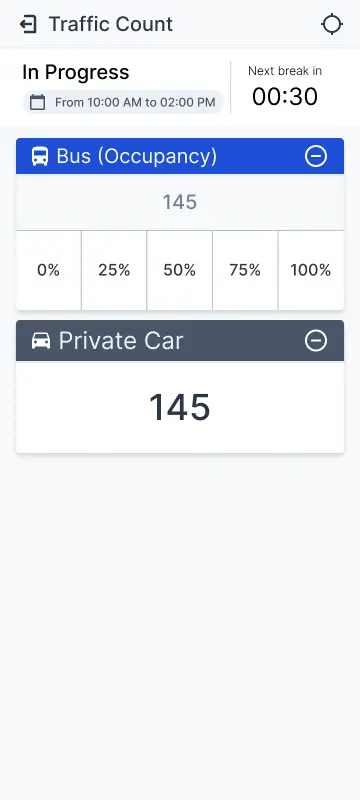
Researchers count by vehicle category for the movements their post covers, in timed runs that make every counted period a complete sample.
- Counts by vehicle category, per movement
- Timed counting runs; pauses are recorded, not hidden
- An upper bound per count flags tallies that can't be right
The result
Volumes by movement, with their validity stated
Results come per location, movement and vehicle category — and say how complete each counted period is before you read the numbers.
Every count is its own record, with the post, the researcher and the time it was made — so a number in your report can be traced back to the street.
Plan your next count
Start in the app, or tell us about your project and we'll walk you through it.